| date | desc |
|---|---|
| 29 Apr 2022 | Initial |
Test Mode is a global state within Signals that temporarily changes how the system works.
Test Mode can:
The objective is to provide tools to make ongoing ICON Signals testing less disruptive to site personnel.
In the simplest case, it is useful to make sure notification texts include some sort of "Testing" phrase.
For a site with a large number of contact closure switches or dial codes, the technician probably doesn't want to send notifications to twenty people every time a switch is tested.
For a site with sirens or speakers, the technician might want to test those devices once every six months but run checks on other components more often. Rules with a TestMode bypass could help.
Test Mode is a transient, in-memory state. The administrator puts ICON Signals into Test Mode for a limited amount of time. Once that time expires, the system is no longer in Test Mode.
If ICON Signals is restarted while in Test Mode, it will no longer be in Test Mode after the restart.
The following features are only active when ICON Signals is in Test Mode
| feature | description | how to configure |
|---|---|---|
| alter notification text | Prepends a "Testing" string to all email, rainbow and text messages | Edit prefix strings in page Admin -> Configuration -> Environment |
| limit notifications | Rules including the testmode group in recipients ignore all other groups, addresses and numbers when sending notification |
Create a contact group named 'testmode'. Add it to Contacts and Rules as needed. |
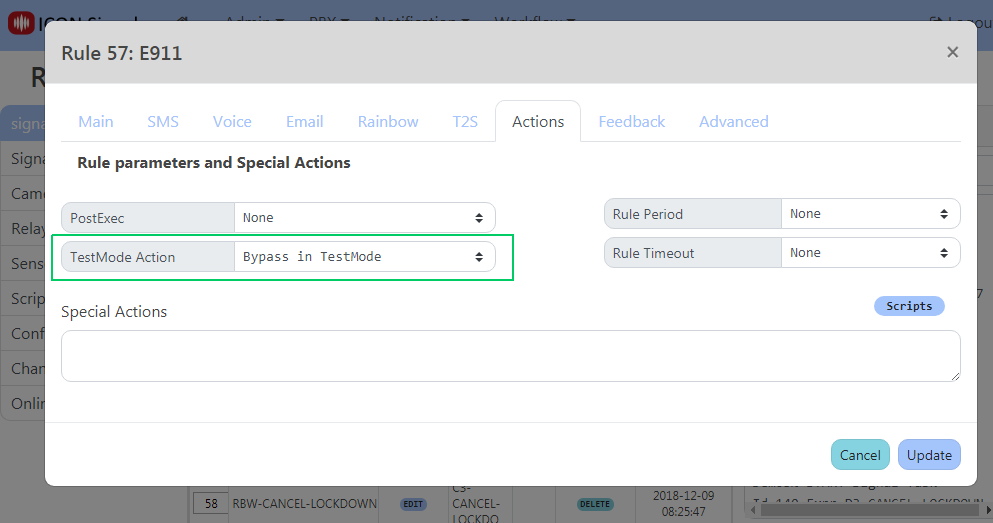
| bypass rules | Rules can be configured to be skipped when running in Test Mode | In the Rule 'Actions', change the TestMode Action to ByPass in TestMode |
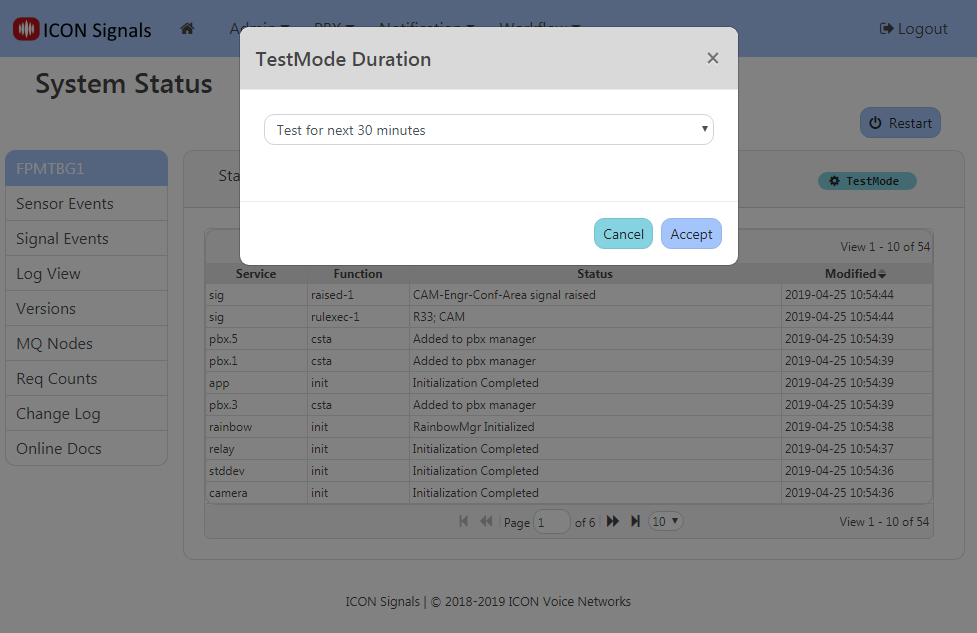
A TestMode dialog on the Admin -> System Status page allows the
administrator to put ICON Signals into Test Mode for up to 60 minutes.
This dialog can be used to leave Test Mode or change the duration
of Test Mode at any time.
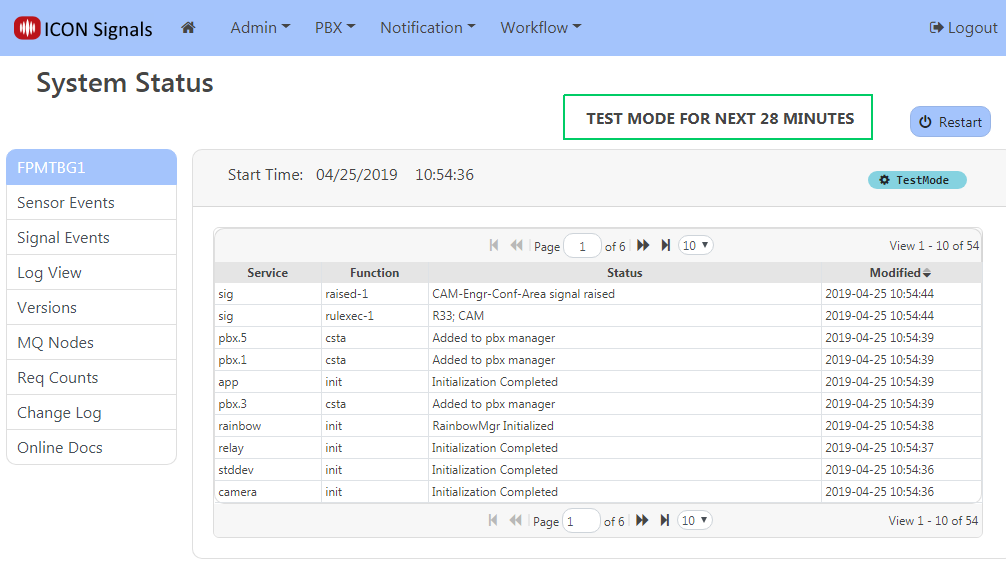
While in Test Mode, the remaining minutes of Test Mode (rounded away from
zero) are displayed in the Admin -> System Status page.
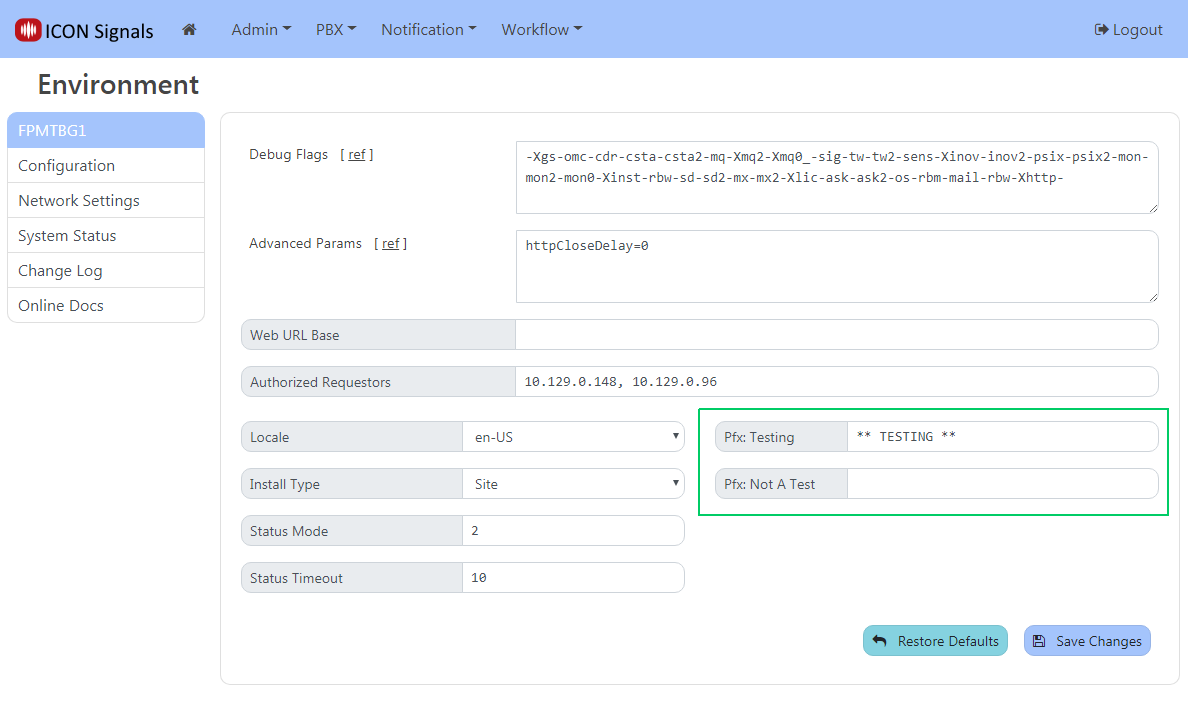
The Test Mode notification prefix is defined in:
Admin -> Configuration -> Environment. A separate string which is
prepended when NOT in Test Mode can also be specified
(e.g. '*** THIS IS NOT A DRILL ***').
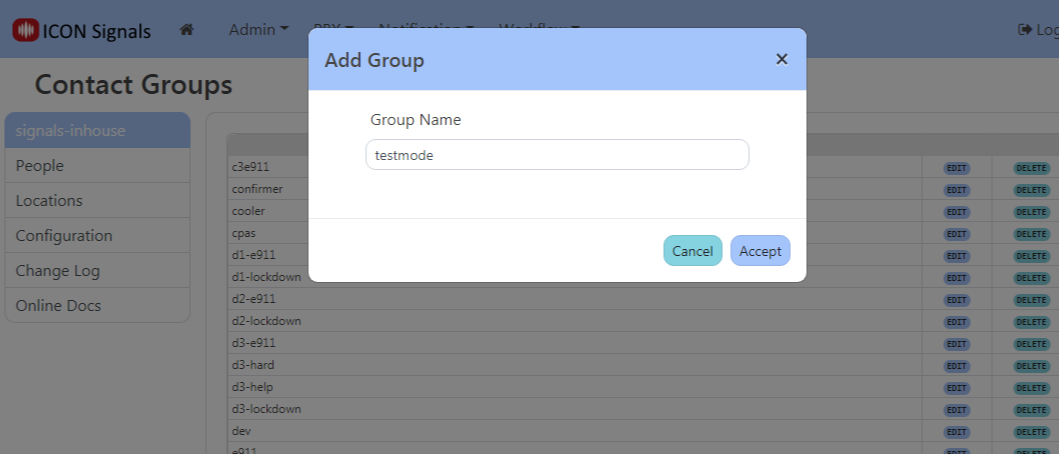
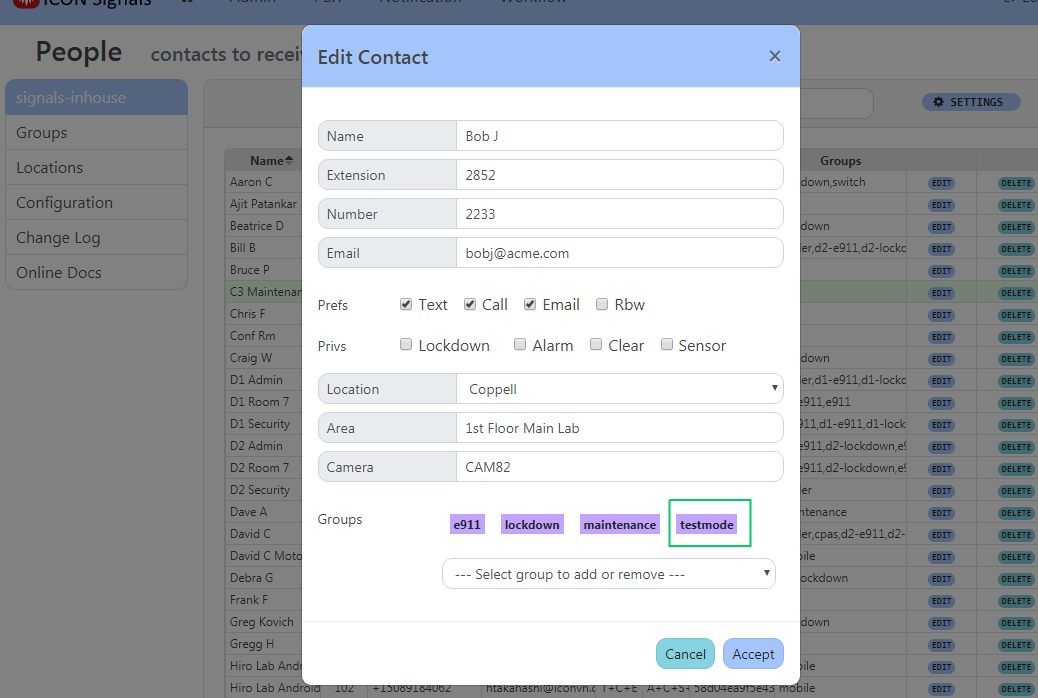
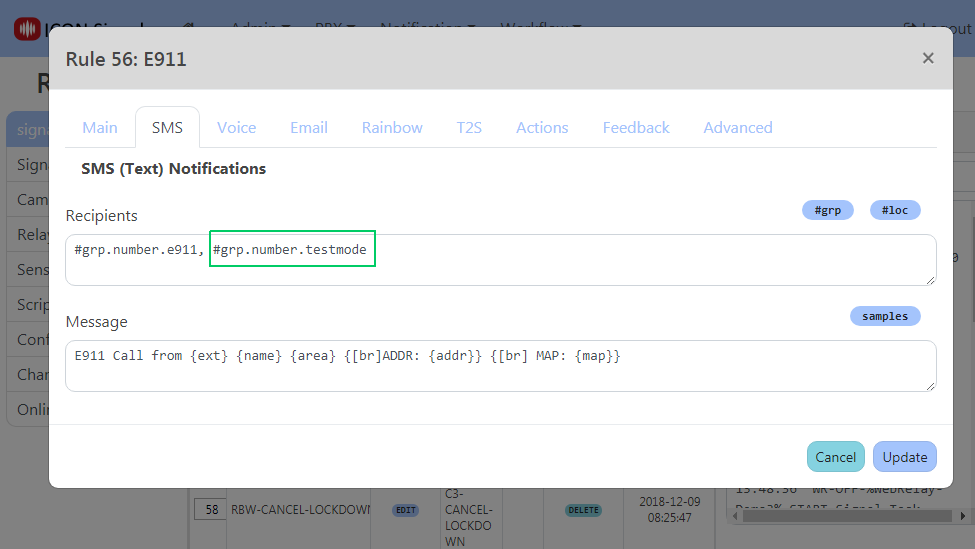
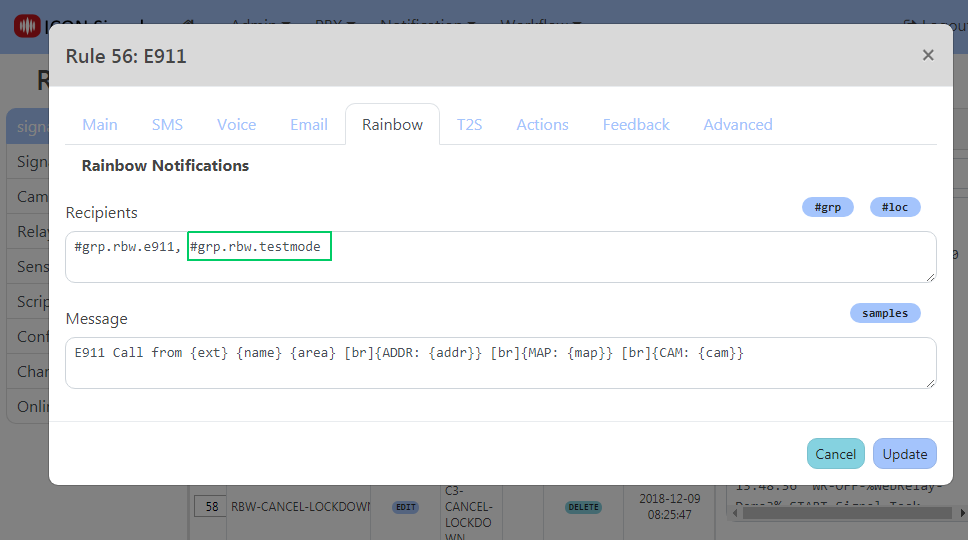
Create a group named testmode. Whenever that group is included
for notifications in a rule, all other numbers or email addresses
will be ignored for that notification method.
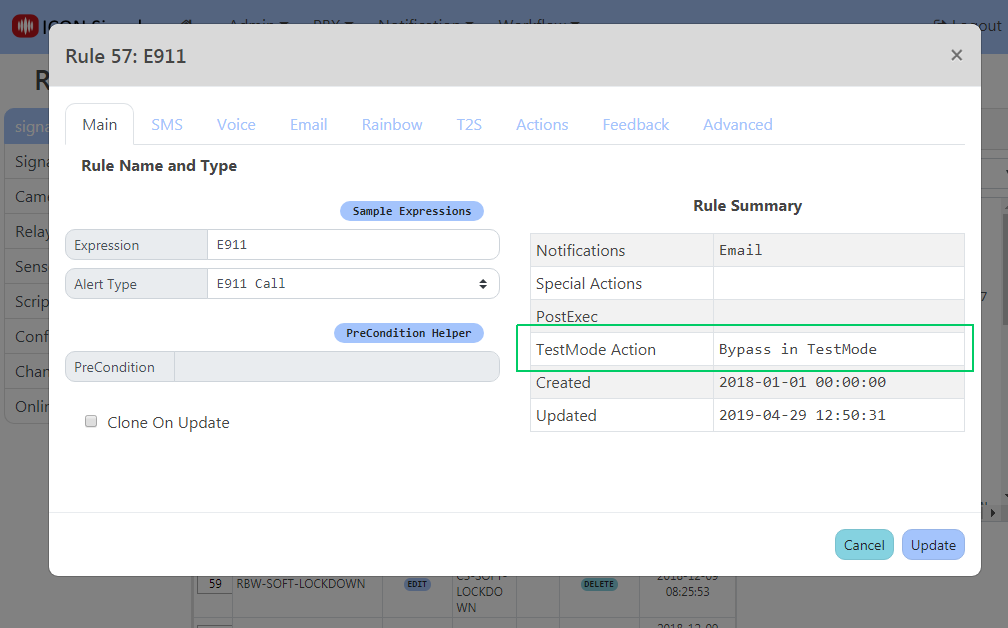
Go to Workflow -> Rule List. Edit a rule and click on the Actions tab.
Change the TestMode Action to Bypass in TestMode. Click the Update button.
ICON Signals | 2018-2022 ICON Voice Networks