| date | desc |
|---|---|
| 3 Mar 2020 | initial |
This document covers all aspects of licensing within ICON Signals.
Signals servers are usually provisioned with licenses by ICON personel before deployment.
Licensing requirements or details of systems with which Signals integrates (e.g. Alcatel PBXs, Matrix, VSS Alloy, XTendCall, SecurAlert) are not covered here.
Much of the material in this document is only relevant/usable to ICON personal, but some of the explanatory notes may be of aid in understanding and trouble-shooting licensing problems.
ICON Signals employs the licensing infrastructure built for Iwatsu ECS phone systems and ICON Enterprises Services and related software applications.
This section describes all of the licenses currently implemented in ICON Signals.
A "basic" license is implicitly required for all functionality.
For example, when ICON Signals checks to see if enhanced E911 functionality is enabled, it checks to see if both a Signals Base and an Events: E911 license are installed.
"Trigger" licenses are essentially one-size-fits-all counting licenses used to enable CSTA monitoring of individual phone extensions or processing of input from individual sensor devices.
All other license types are system-wide and have no associated quantity value. (A Signals Base license includes 25 triggers, but that is an implicit value not reflected in the license data.)
It is considered to be an error condition when a site is under-licensed: having fewer licensed triggers than it has monitored stations and sensor devices. Signals allocates triggers on a first-come, first-served basis. There is no mechanism to pick and choose which stations and sensors receive the available triggers. It is entirely possible to have a different set of trigger-enabled stations and sensors each time an under-licensed ICON Signals server is started.
The corrective action is to either increase the amount of licensed triggers by adding Signals Trigger licenses, or reduce the sensors or monitored stations.
All of the licenses currently supported in ICON Signals are listed in the table below.
| PartNo | Name | Description |
|---|---|---|
| 104810 | Signals Base | Base license required to enable all other features. Includes 25 triggers. |
| 104820 | Signals Triggers Qty-10 | Enables monitoring individual stations or devices. |
| 104821 | Signals Triggers Qty-20 | |
| 104822 | Signals Triggers Qty-25 | |
| 104823 | Signals Triggers Qty-100 | |
| 104830 | Event: E911 | Enables enhanced notification when a monitored station dials 911 |
| 104831 | Event: Lockdown | Enabled Lockdown notification functions. |
| 104832 | Event: Evacuation | Similar to Lockdown. |
| 104834 | Event: Security | Read data from Matrix COSEC or other access control or security devices and perform actions. |
| 104836 | Event: Environmental | Read data from environmental sensors and perform notifications. |
| 104873 | Integration: CSTA | Enables CSTA connection to Alcatel PBXs. |
| 104874 | Integration: Rainbow | Enables connection to a Rainbow endpoint. |
| 551160 | Yearly Cloud Maintenance |
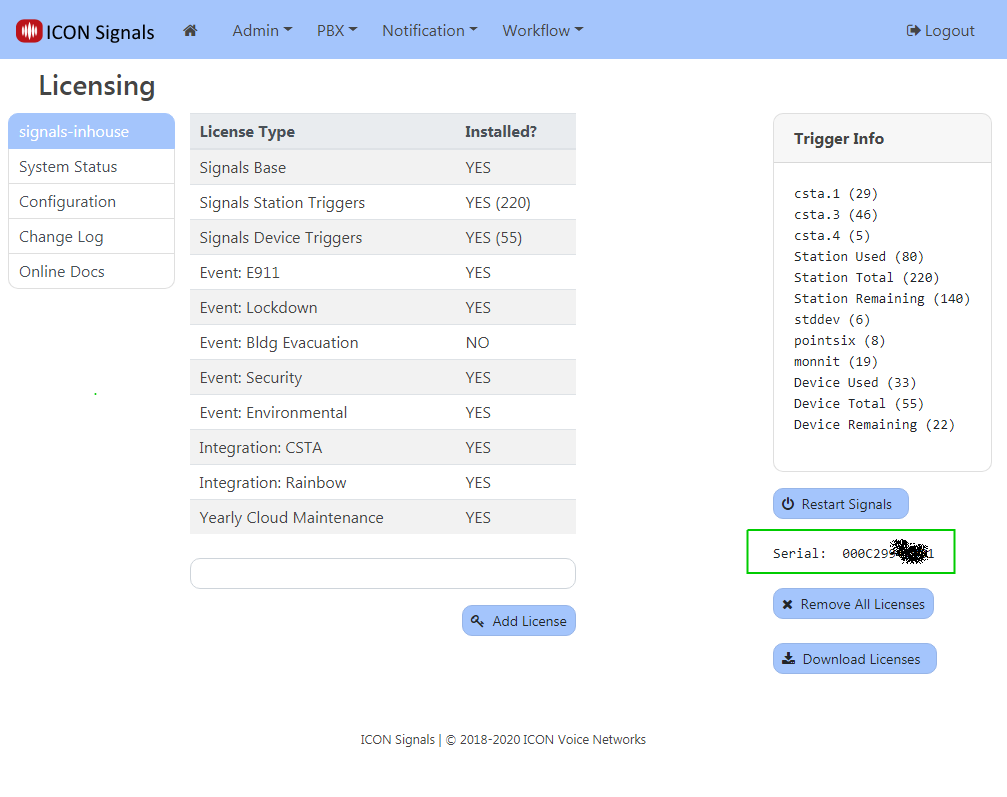
This is found in the Signals UI on page: General > Admin > Licensing
This method is only available to ICON employees.
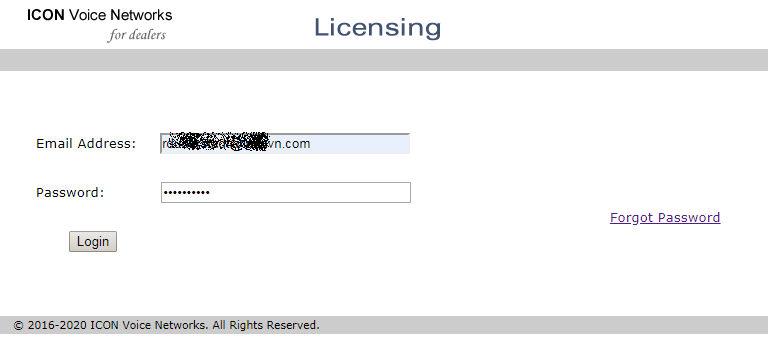
Login to the dealer site at iconnetworks.com and navigate to:
Partners > Iwatsu License Server
Then login to the Licensing WebApp.
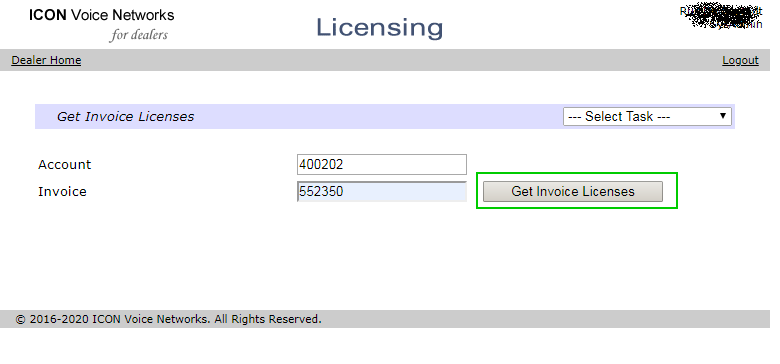
After logging in, you will be on the Get Invoice Licenses page. Enter the invoice number and click the button.
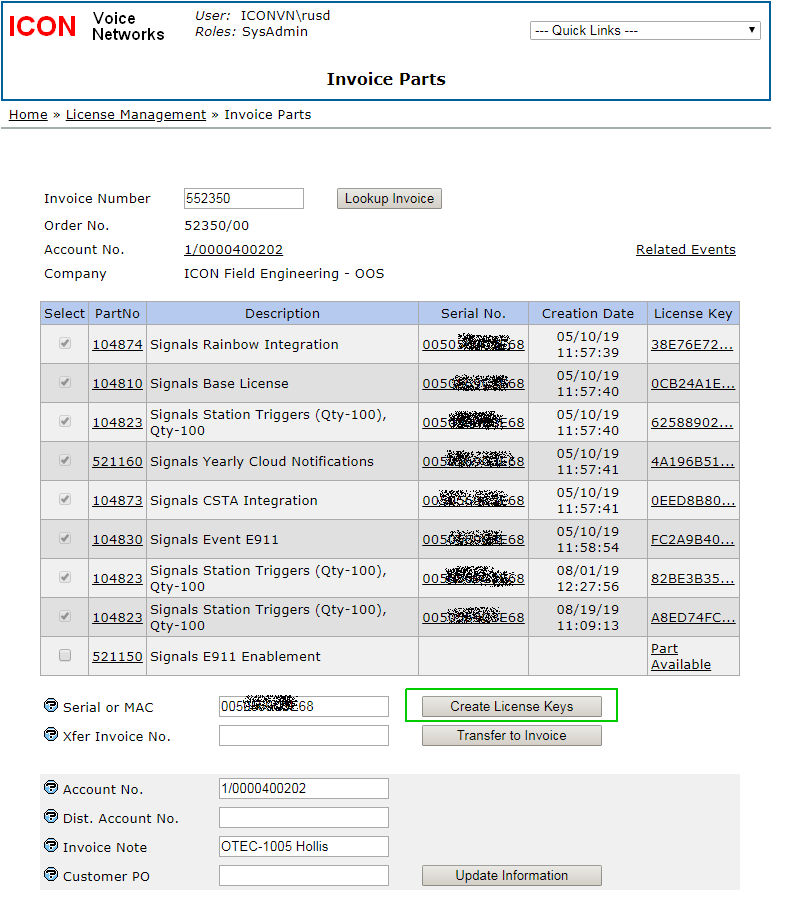
A table of licensable parts will be displayed on the page and you will have the option of entering a serial number and creating license keys.
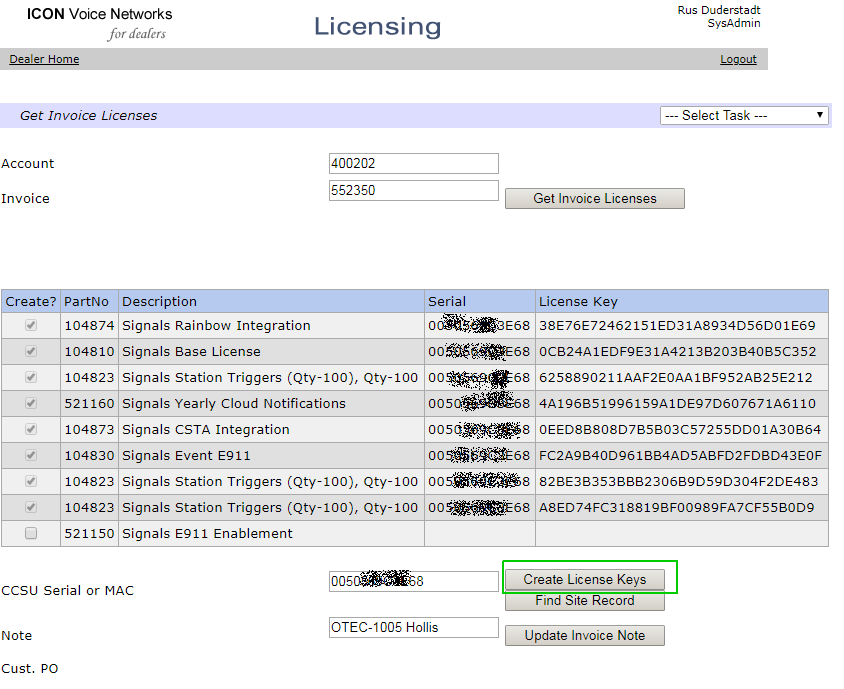
After license keys are created, return the ICON Signals UI.
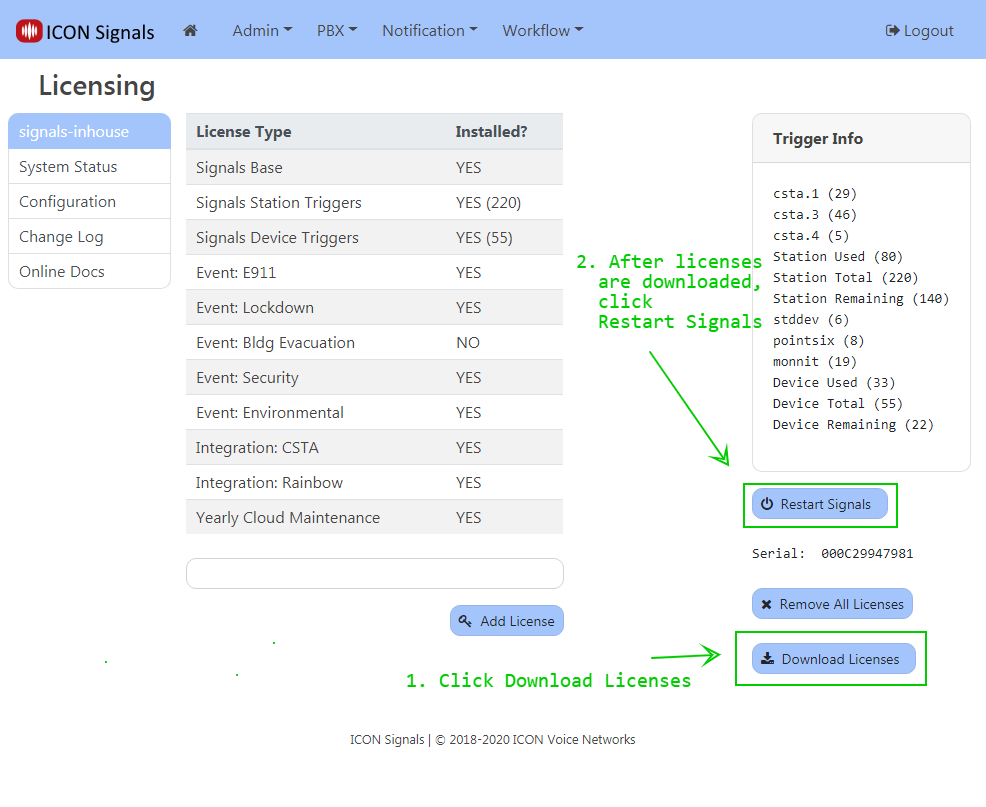
On the page: General > Admin > Licensing
Click the Download Licenses button. The newly created license should be downloaded into the ICON Signals database. After that, click Restart Signals.
ICON Signals | 2018-2022 ICON Voice Networks