| date | desc |
|---|---|
| 20 Dec 2023 | initial |
| 15 Jan 2024 | added section 6, exclusions and dealing with positives |
This comprehensive document describes the anti-virus scanning feature of ICON Signals. Some sections are intended for ICON engineers installing operating system packages. Other sections are relevant to distributors or customers. The most salient points are:
ClamAV is an open source anti-virus engine associated with Cisco Systems. It is used for email scanning and other endpoint security purposes.
(2.1) Availability
ClamAV is not available on the older 32-bit Signals platform running Debian 8. That version of Linux is obsolete as well.
ClamAV is available on the 64-bit Signals platform running Debian 10 or 11.
(2.2) Basic Operation
ClamAV uses two daemon processes:
freshclam - which periodically downloads the anti-virus signature databaseclamd - which listens for requests from ClamAV clients to scan files and data streamsShell scripts can be run via cron or other processes to perform scans and output the results to log files.
The Signals application reads the ClamAV log files and raises a signal if any virus signatures are found.
(2.3) What Happens when a Positive result is found?
As noted in the ClamAV documentation, false positives are possible. Consequently, ICON Signals sends notifications when a virus signature is detected, but does not remove or quarantine files. This is the approach recommended by the ClamAV team.
Section 6 has more detail on handling of false positives as well as reporting suspected malware.
(2.4) Memory Requirements
ClamAV consumes a significant amount of memory (~ 1.5 GB). At its core, the tool stores virus signatures in memory and reads files or other data streams looking for matches to those signatures. At the time of this writing, the virus database contains over 8.7 million signatures. There is no practical way to reduce this physical memory requirement.
Consequently, a Signals server site running ClamAV will require 8GB RAM. It is currently technically possible to run with 4GB, but we strongly recommend against doing so.
(2.5) Other Requirements
The official ClamAV database repository URL must be added to the firewall whitelist:
These instructions are based on information found here:
(3.1) Update Debian
I had trouble installing clamav if Debian is out of date.
  apt-get update
  apt-get upgrade
(3.2) Install ClamAV packages
  apt install clamav
  apt install clamav-daemon
(3.3) Reboot
reboot
This sets up ClamAV to periodically update its database signatures. It does not configure scanning for viruses.
Virus scanning within ICON Signals has several phases:
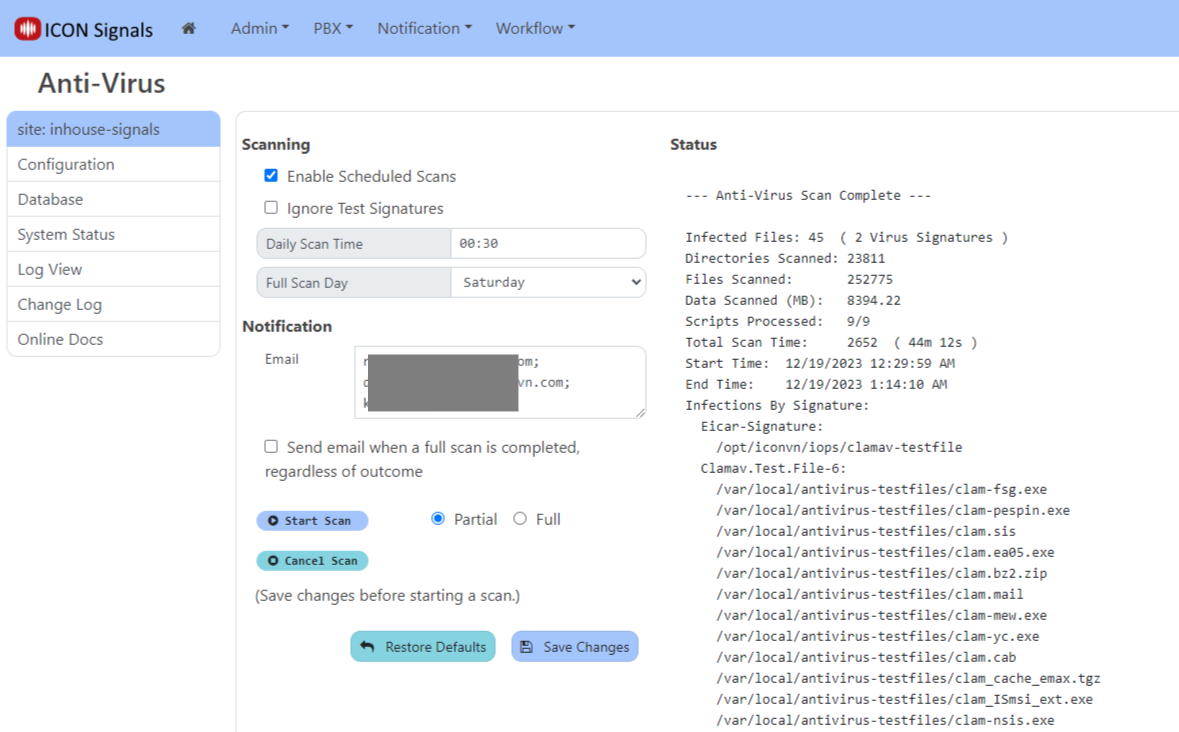
clamscan tool (part of ClamAV)A link to the Anti-Virus page in the Signals UI can be found in Admin > System Status or Admin > Configuration.
NOTE: This link only appears if ClamAV was installed per the previous section.
(4.1) Scheduled Scans
If scheduled scans are enabled, ICON Signals checks for viruses once a day at a configured time. Typically a full scan is performed one day each week and a partial scan over a smaller set of directories is performed on all other days. The Full Scan Day dropdown has an Everyday option to run a full scan every day.
(4.2) Manual Scans
Partial or full scans can be run by clicking the Start Scan button. The Cancel Scan button sends a command to cancel the currently-running scan (scheduled or manual).
(4.3) Scan Status
The right side of the Anti-Virus page shows the current cumulative scan results. Infected files, if any, are listed by virus signature.
(4.4) Test Signatures
Test virus signatures are included in the ClamAV database to enable testing of Anti-Virus systems. ICON Signals supports the use of two test signatures.
| signature | description |
|---|---|
Eicar-Signature |
A third-party signature created by a non-profit third party organization: https://www.eicar.org |
Clamav.Test.File-6 |
Files "infected" with this test signature can be installed from a separate Debian package: clamav-testfiles. |
Note: If using ClamAV test files, I recommend copying them into a /usr/local directory and then removing the clamav-testfiles package. The name of the signature (Clamav.Test.File-6) implies that it might change in a future package update and then ICON Signals would not know about the new test signature.
The Ignore Test Signatures checkbox tells Signals to ignore infections with either of these two virus signatures. This applies to scheduled and manual scans.
At the completion of a virus scanning operation, ICON Signals may send email messages or use some other communication method to inform people of the results.
(5.1) Email Notification
If one or more infected files were found during the scan, ICON Signals will send an email message to each of the addresses configured in the Anti-Virus page (see screenshot in previous section).
The email message contains the same data displayed in the right side of the anti-virus page.
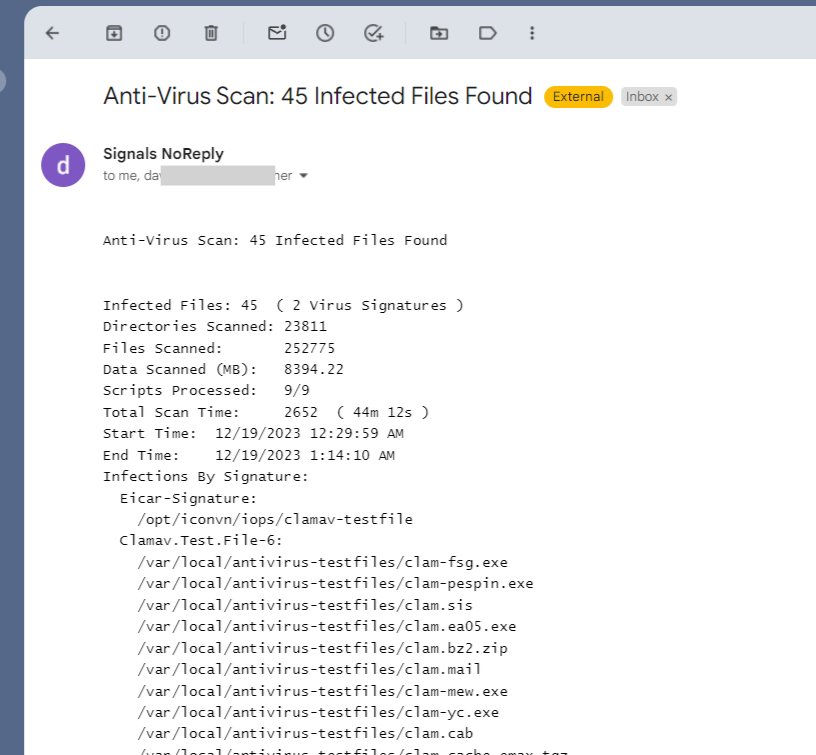
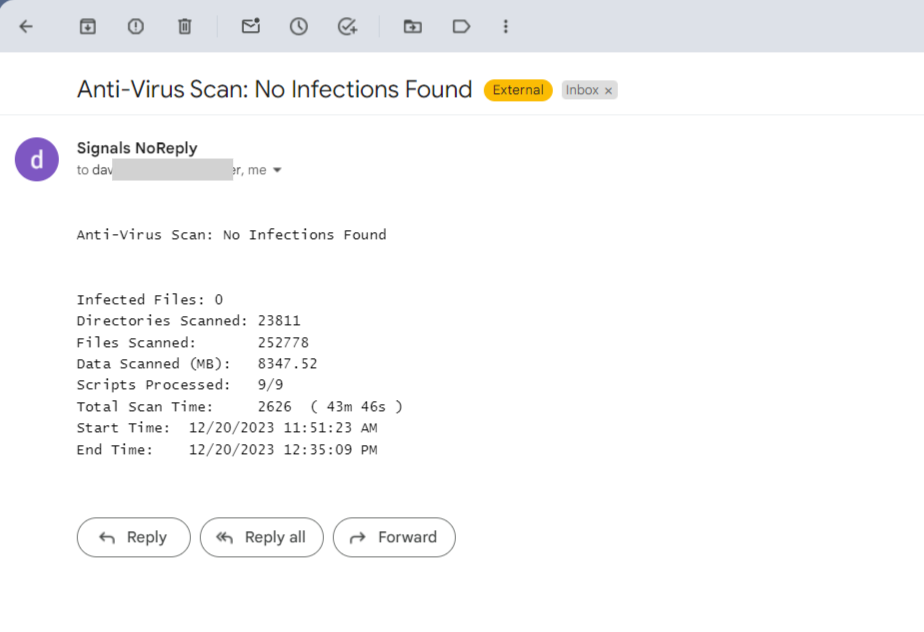
A separate checkbox enables sending the email even when no infected files are discovered in a full scan. This is intended to serve as a "weekly anti-virus report". In this case, the email will look like this:
(5.2) Raised signal: ANTIVIRUS
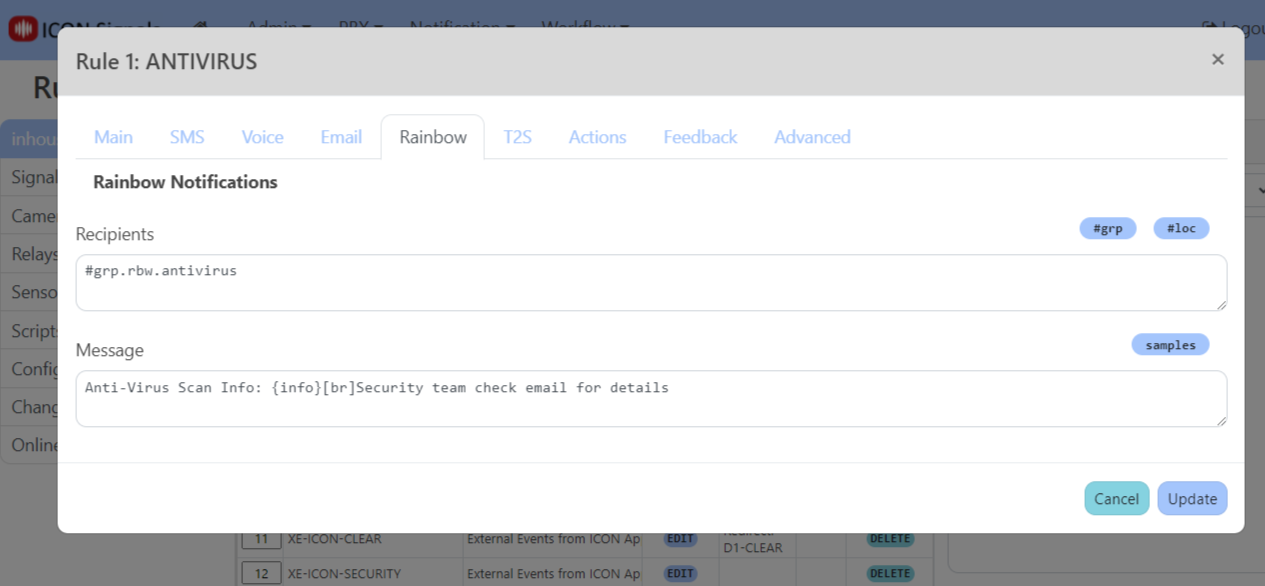
In addition to sending email notifications, ICON Signals also raises one of two signals when infected files are found:
| signal | description |
|---|---|
ANTIVIRUS-ACTUAL |
One or more non-test-signature viruses were found |
ANTIVIRUS-TESTSIGS |
All infections were test signature viruses |
Separate rules can be written for each case, or a single rule with the expression ANTIVIRUS can be written and executed for both cases.

Our first presumptive virus detection occurred during testing. After a ClamAV database update, a virus signature was found in a DLL which previously received a clean bill of health. This experience helped us create a workable process for handling virus detection events.
The only new files downloaded will be official operating system updates or Signals application updates. Consequently, there is a good chance that virus signature detection events on an ICON Signals server will be false positives. That turned out to be the case in the example covered in this section.
(6.1) Examining a Suspect File
The suspect file was NLog.dll, a commonly used logging library DLL for .NET. This is a realistic target for infections. NLog is the .NET equivalent to the Log4j library used in Java applications and there was a very serious vulnerability in that library in late 2021.
We started by uploading the suspect file to 'virustotal'.
When a file is uploaded it is analyzed using multiple antivirus engines.
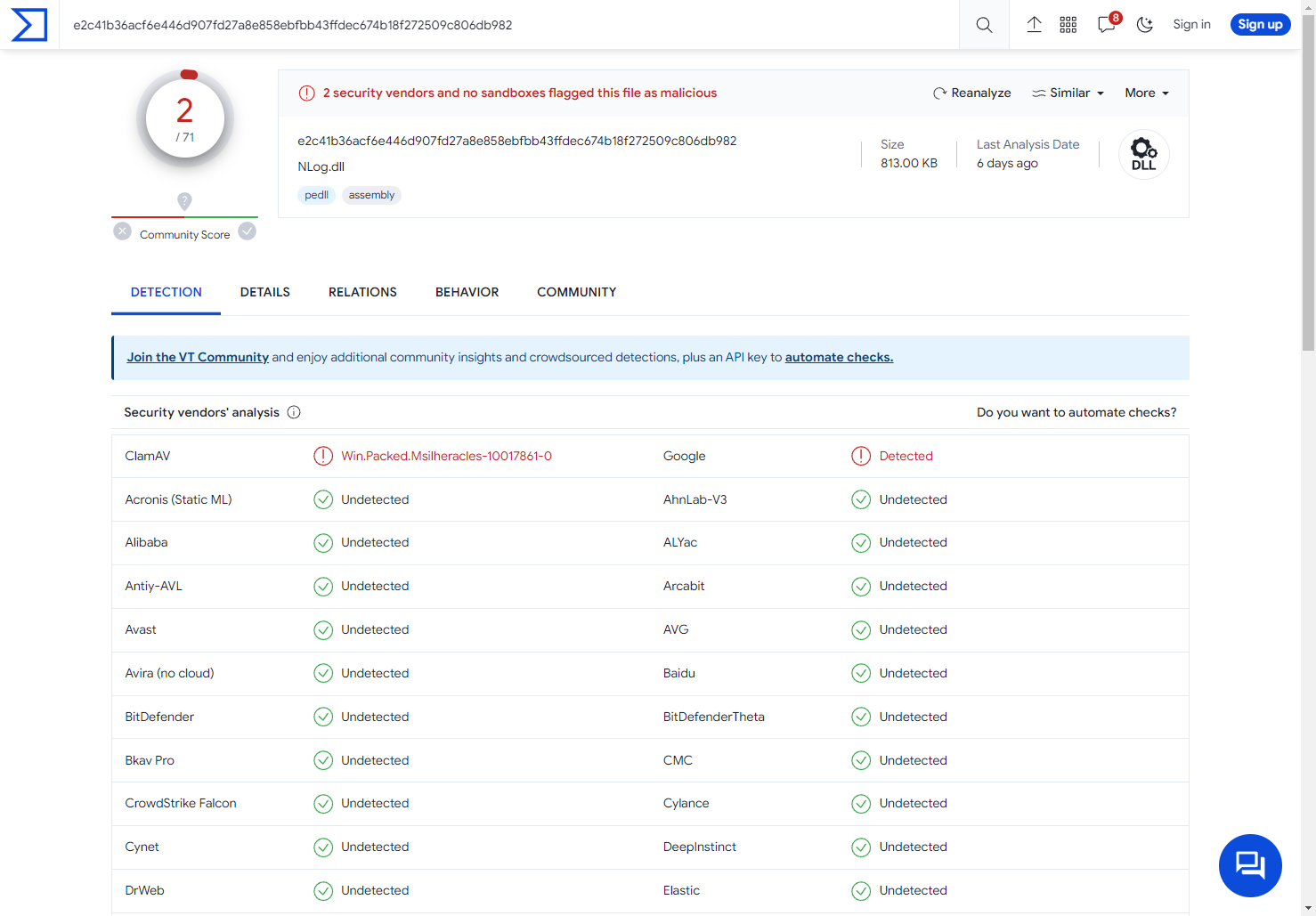
The above screenshot doesn't show all the engines the file was tested against, but they include Microsoft, SentinelOne, Fortinet, and every other major antivirus vendor. Only ClamAV detected a virus signature, so it appears to be a false positive.
(6.2) Submitting Presumptive False Positives
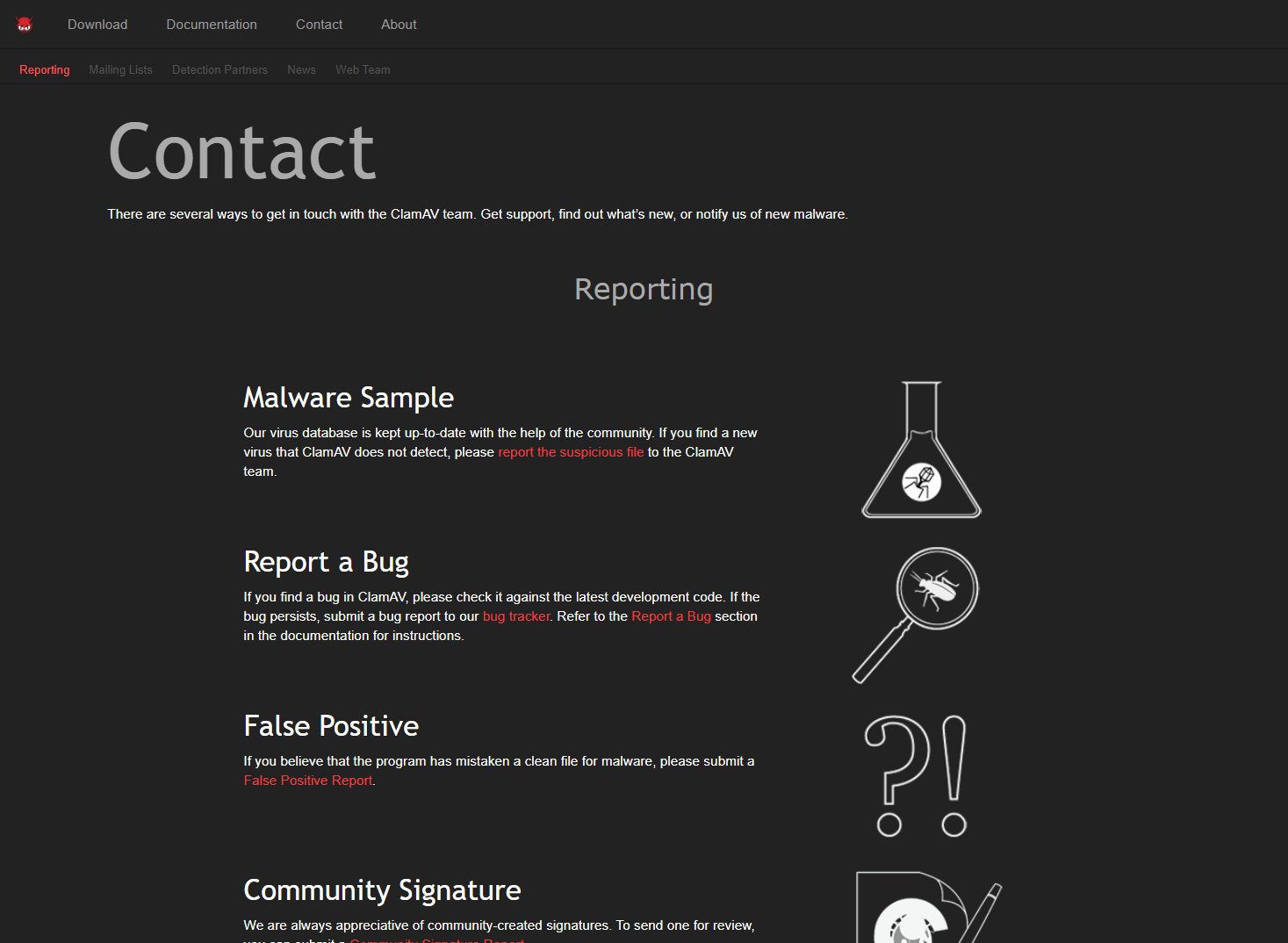
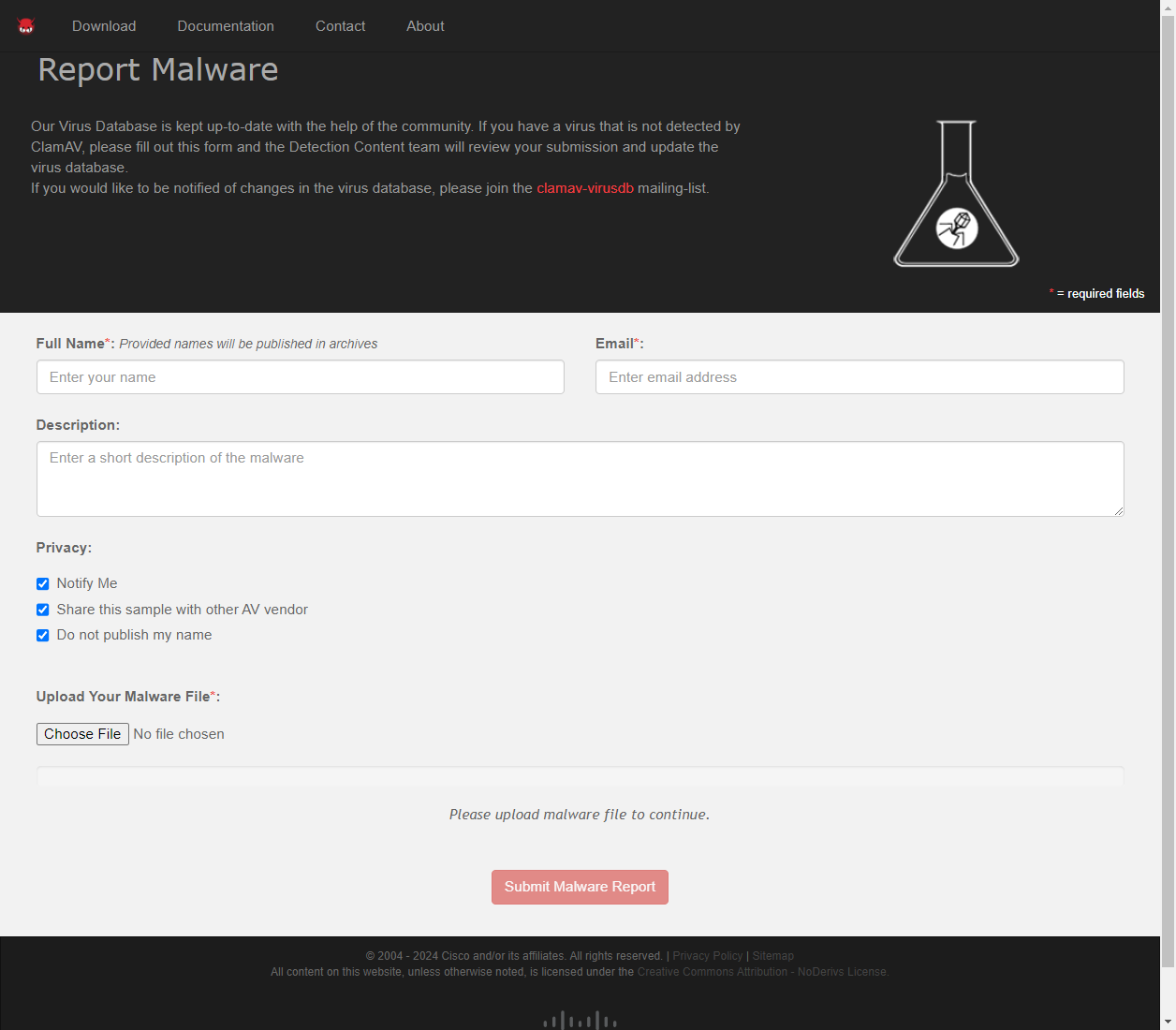
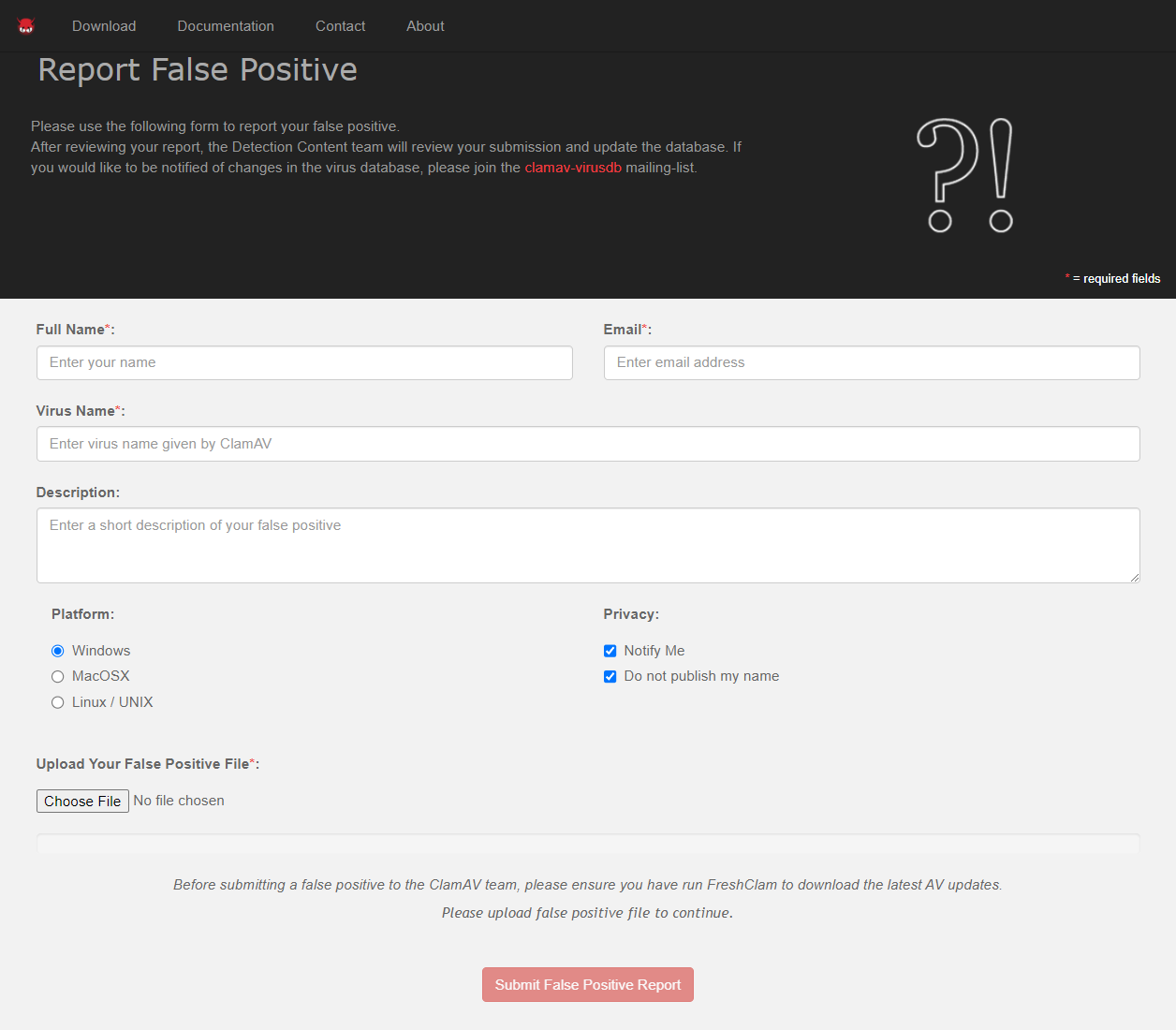
Suspected virus samples and suspected false positives can be uploaded to the ClamAV website. The contact page has links to pages to report malware and to report a suspected false positive.
(6.3) Excluding False Positives
The false positive we reported to ClamAV in early 2024 was added to their database after about two weeks and the flagged file (NLog.dll) no longer scanned as infected.
While this was a "good" experience, we have to acknowledge that there is no guarantee the ClamAV organization will correct a false positive in a timely manner.
ICON Signals addresses this concern with configuration files that do two things:
Exclude specific virus-signature / infected-filename pairs from the list of infections.
Add comments to outgoing virus notification email messages.
One configuration file is stored at a publicly accessible web site. The Signals scanning software downloads this file and includes its content in antivirus scan results.
For example:
1. Lines starting with # are comments.
2. Lines starting with % are virus signature and infected file path pairs
     to be excluded from antivirus reporting.
3. Exclusion pairs found in the scan are listed at the end of the virus data.

# 3 Jan 2024
# A presumptive false positive has been flagged by ClamAV
#   /opt/iconvn/iops/NLog.dll [ Win.Packed.Msilheracles-10017861-0 ]
#
# We have submitted it to ClamAV as a presumptive false positive.
# No other Anti-Virus applications are triggering on this file.

% Win.Packed.Msilheracles-10017861-0 /opt/iconvn/iops/NLog.dll
A second configuration file with the same format is included in the ICON Signals software build. This is intended to serve as a fallback in case the public web site file can't be downloaded or a false positive is not addressed by the ClamAV organization.
1. Lines starting with # are comments.
2. Lines starting with % are virus signature and infected file path pairs
     to be excluded from antivirus reporting.
3. Exclusion pairs found in the scan are listed at the end of the virus data.

#
# 12 Jan 2024
# Archival false positives previously flagged by ClamAV
#   /opt/iconvn/iops/NLog.dll [ Win.Packed.Msilheracles-10017861-0 ]
#
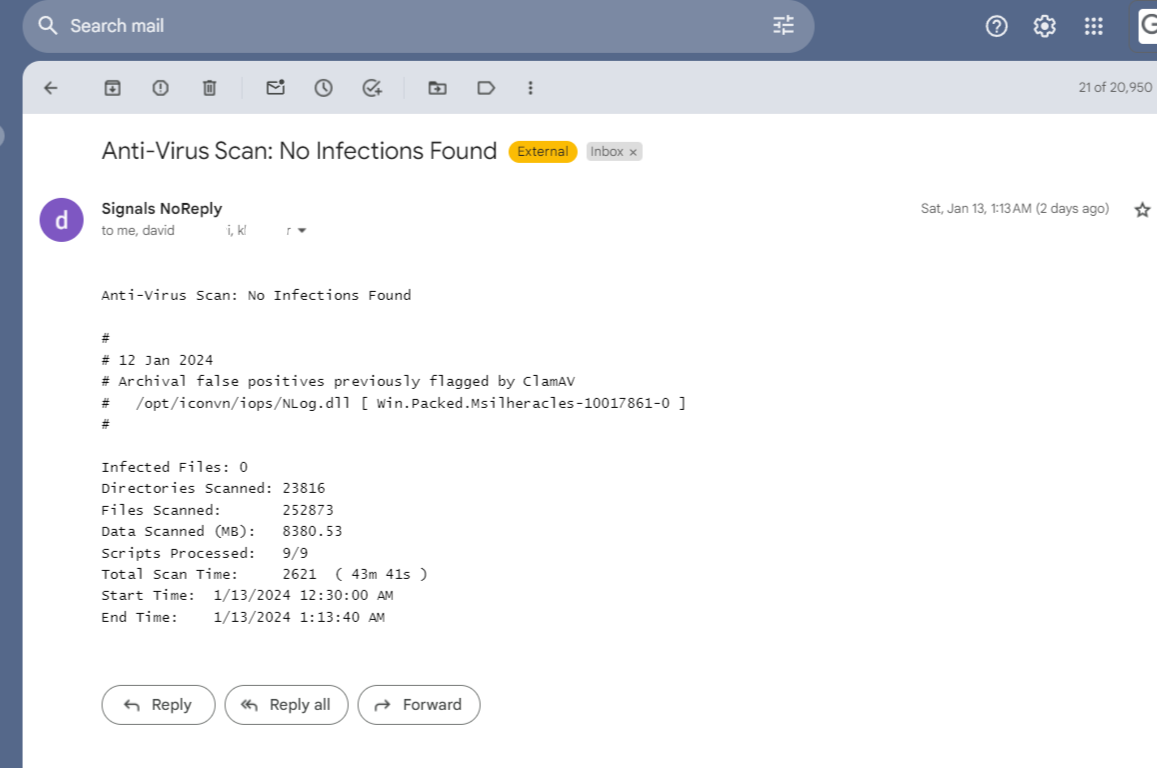
Comments from both config files will be included in the notification email message. Care will be needed when creating comments to avoid confusion when different versions of the Signals software are scanning for viruses and reporting results.
ICON Signals | 2018-2024 ICON Voice Networks