| date | desc |
|---|---|
| 29 Aug 2022 | Initial |
| 21 Jul 2023 | Added Special Variables |
Special Action scripts are snippets of code inserted into the Rule script to add functionality not found in the normal configuration UI. The canonical use is to send commands to WebRelay devices to turn relays on or off.
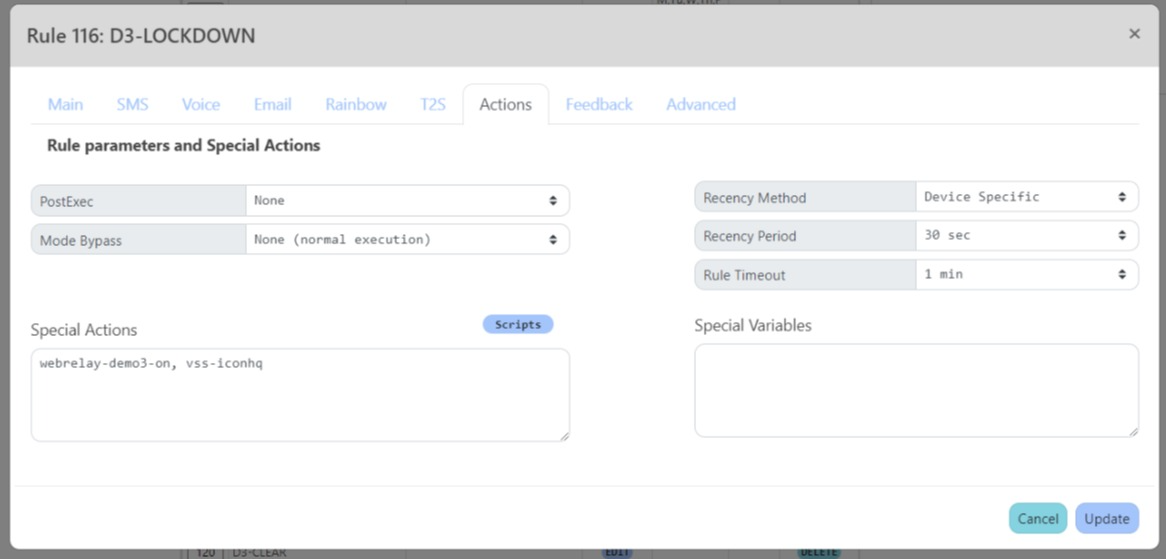
These scripts are added to rules in the Actions tab of the rule dialog of the Workflow > Rule List page.
Action scripts are managed in the Special Action Scripts page (Workflow > Rule List, then click Scripts link on left).
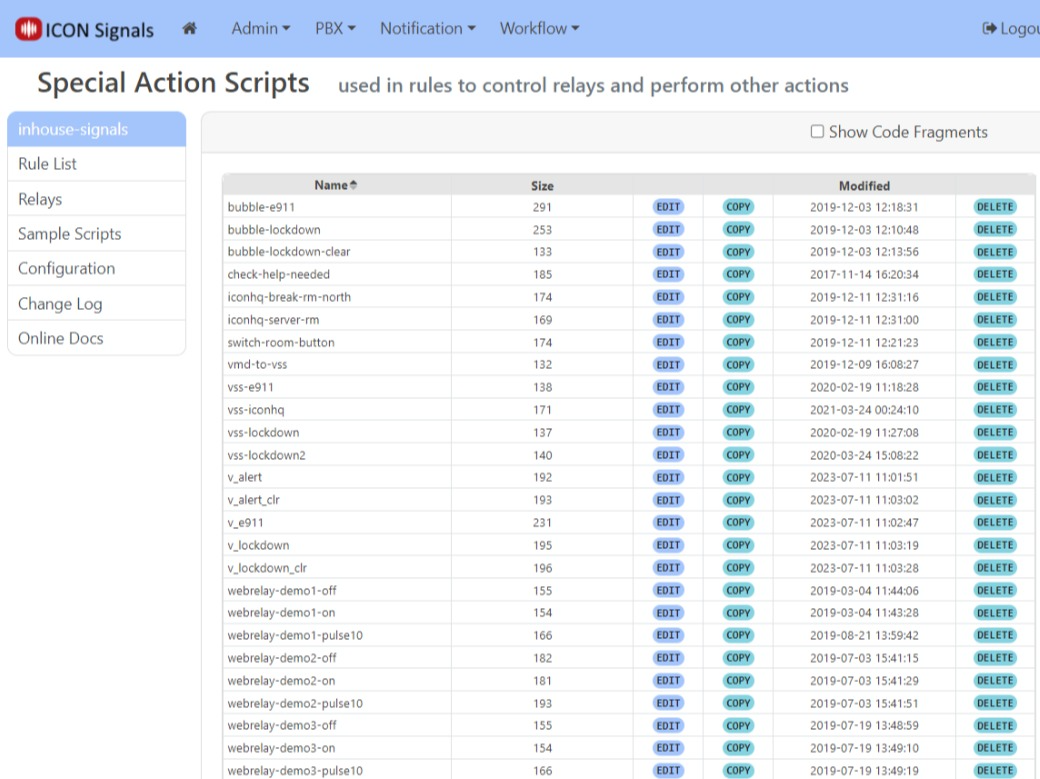
When a rule script is executed, the action scripts are run after variables are initialized and before any other code for notifications is run.
In this example, action scripts to turn on a relay and send an alert to a third-party system (VSS) are run before the function to send a Rainbow notification.
// Generated Rule Script - DO NOT EDIT
var inp_source='inp_lockdown';
var State = { };
var SMS = { };
var IRC = { };
...
Aux.specActions='webrelay-demo3-on, vss-iconhq';
Aux.specVariables='';

// --- Special Variable Assignments ---

State.specVars = { };

// --- Function Calls ---

initState(State);
inpInitialize(SMS, Email, Rainbow);


// :: Special-Action-Script -[webrelay-demo3-on]- ::

// relay states: 0=off, 1=on, 2=pulse, 5=toggle
// turn relay1 ON for WebRelay device with given ID
dev.webrelay({
  ID: 'SD803004615B',
  relay1: 1
});

// :: End-Script -[webrelay-demo3-on]- ::


// :: Special-Action-Script -[vss-iconhq]- ::

sys.sendAlert({
  dxname: 'VSS-ICON-HQ',
  vssID: '{DeviceZone}',
  senderID: 'Signals@10.129.0.154',
  message: 'Device Activated : {DeviceID} : {DeviceName}'
});

// :: End-Script -[vss-iconhq]- ::

outpSendRainbow(State, Rainbow);
util.log(Aux.dbgmsg);

...
When an action script is modified, ICON Signals rebuilds the rules which include it.
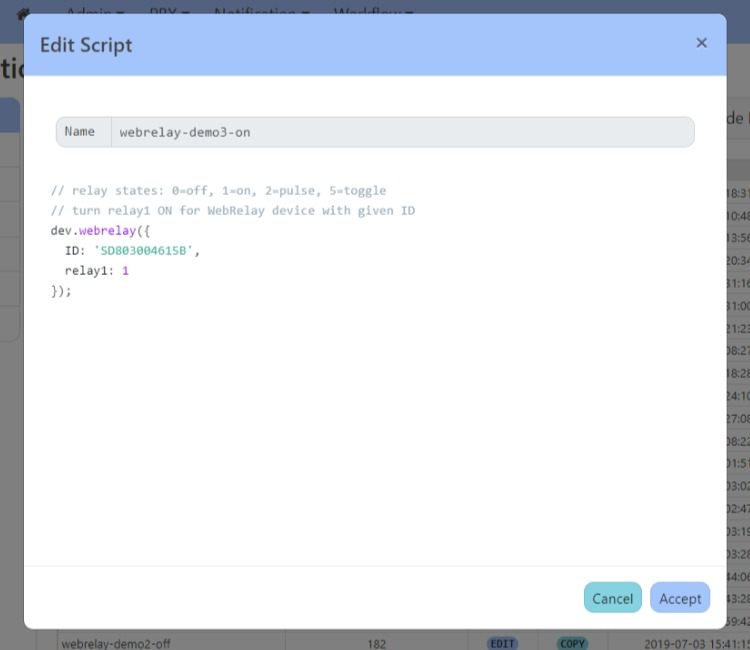
Most action scripts consist of a single function call with parameters. The previous section contained the following script to turn on a relay.
// relay states: 0=off, 1=on, 2=pulse, 5=toggle
// turn relay1 ON for WebRelay device with given ID
dev.webrelay({
  ID: 'SD803004615B',
  relay1: 1
});
ID is the device ID of the web relay device. relay1 refers to the first relay output on that device.
Sometimes it is useful to specify the parameters in the rule itself rather than in the action script.
Special Variables are comma-separated key=value pairs which can be added to the rule script and used with the action script.
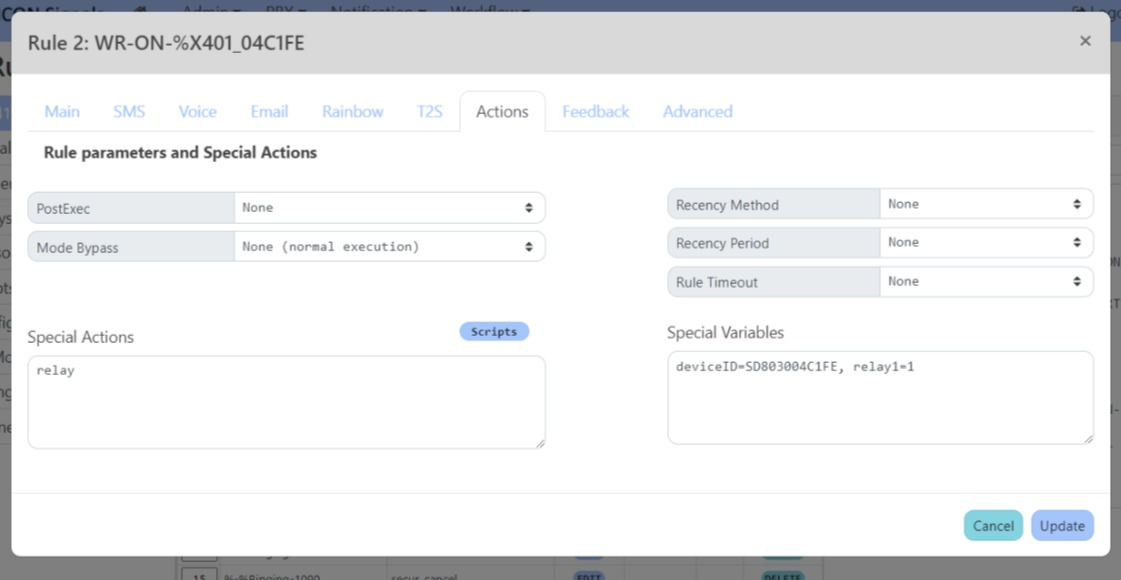
The original action script requires some modifications to make use of special variables.
var props = { };
props.ID = (State.specVars.deviceID) ? State.specVars.deviceID: '';
props.relay1 = (State.specVars.relay1 == '1') ? 1 : 0;

// relay states: 0=off, 1=on, 2=pulse, 5=toggle
// turn relay1 ON for WebRelay device with given ID
dev.webrelay(props);
In the above action script, we are:
Creating an empty parameters object (props)
Adding an ID property using the special variable deviceID
Adding a relay1 integer property using special variable relay1
Calling dev.webrelay() with the modified props parameters
Two things are illustrated in the above Special Variables example:
Keys do not have to match action script parameter names (deviceID is used to set the ID parameter).
Special Variable Values are strings - hence the need for a comparison to set integer property relay1.
NOTE: This is a work-in-progress
dev.virdev()If affix property is not set, the state variable SigAffix will be used instead. (This is usually preferable.)
// cmd: 'update', type: 'LOCKDOWN', 'CLEAR', ...
// alarm: 'ON' or 'OFF'
// affix: {location affix} (optional)
dev.virdev({
  cmd: 'update',
  typ: 'LOCKDOWN',
  affix: 'HOU',
  alarm: 'ON'
});
ICON Signals | 2018-2023 ICON Voice Networks