| date | desc |
|---|---|
| 13 Mar 2025 | Initial |
Message Queuing Telemetry Transport (MQTT) is a lightweight, publish-subscribe messaging protocol. It is widely used in Internet of Things (IoT) applications.
This document will cover details of MQTT support within ICON Signals.
- Publish/Subscribe Model
MQTT uses a publish/subscribe messaging pattern, where devices (clients) publish messages to a central broker, and other clients subscribe to specific topics to receive those messages.
- Broker
A broker acts as an intermediary, receiving messages from publishers and delivering them to subscribed clients. Essentially a broker is an MQTT server.
- Topics
MQTT uses topics to categorize messages, allowing clients to subscribe to specific topics of interest.
- Quality of Service (QoS)
MQTT offers different levels of message delivery reliability, allowing developers to choose the appropriate QoS for their applications.
MQTT integration within ICON Signals has the following features:
The basic operation of MQTT is as follows:
Topics are the key mechanism to MQTT functionality, so we will discuss them first before looking into how Signals supports MQTT use.
Information in this section is taken from this source:
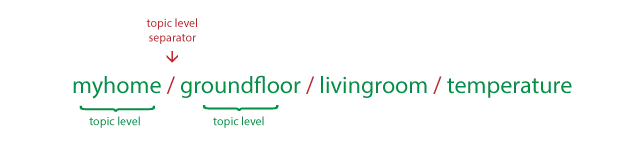
An MQTT topic refers to a UTF-8 string that filters messages for a connected client. A topic consists of one or more levels separated by a forward slash (topic level separator).
Topic strings are case sensitive. They can include space characters per the specification, but Signals expects topic strings to not contain spaces.
The use of non-ASCII characters in topic strings is generally discouraged (see link above) and has not been tested in ICON Signals.
The multi-level wildcard covers multiple topic levels. It is represented by the hash symbol (#) and must be placed as the last character in the topic, preceded by a forward slash.

When a client subscribes to a topic with a multi-level wildcard, it receives all messages of a topic that begins with the pattern before the wildcard character, regardless of the length or depth of the topic. If the topic is specified as “#” alone, the client receives all messages sent to the MQTT broker.
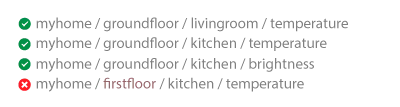
The single-level wildcard is represented by the plus symbol (+) and allows the replacement of a single topic level. By subscribing to a topic with a single-level wildcard, any topic that contains an arbitrary string in place of the wildcard will be matched.

MQTT support is enabled and configured in Devices > Other > MQTT.
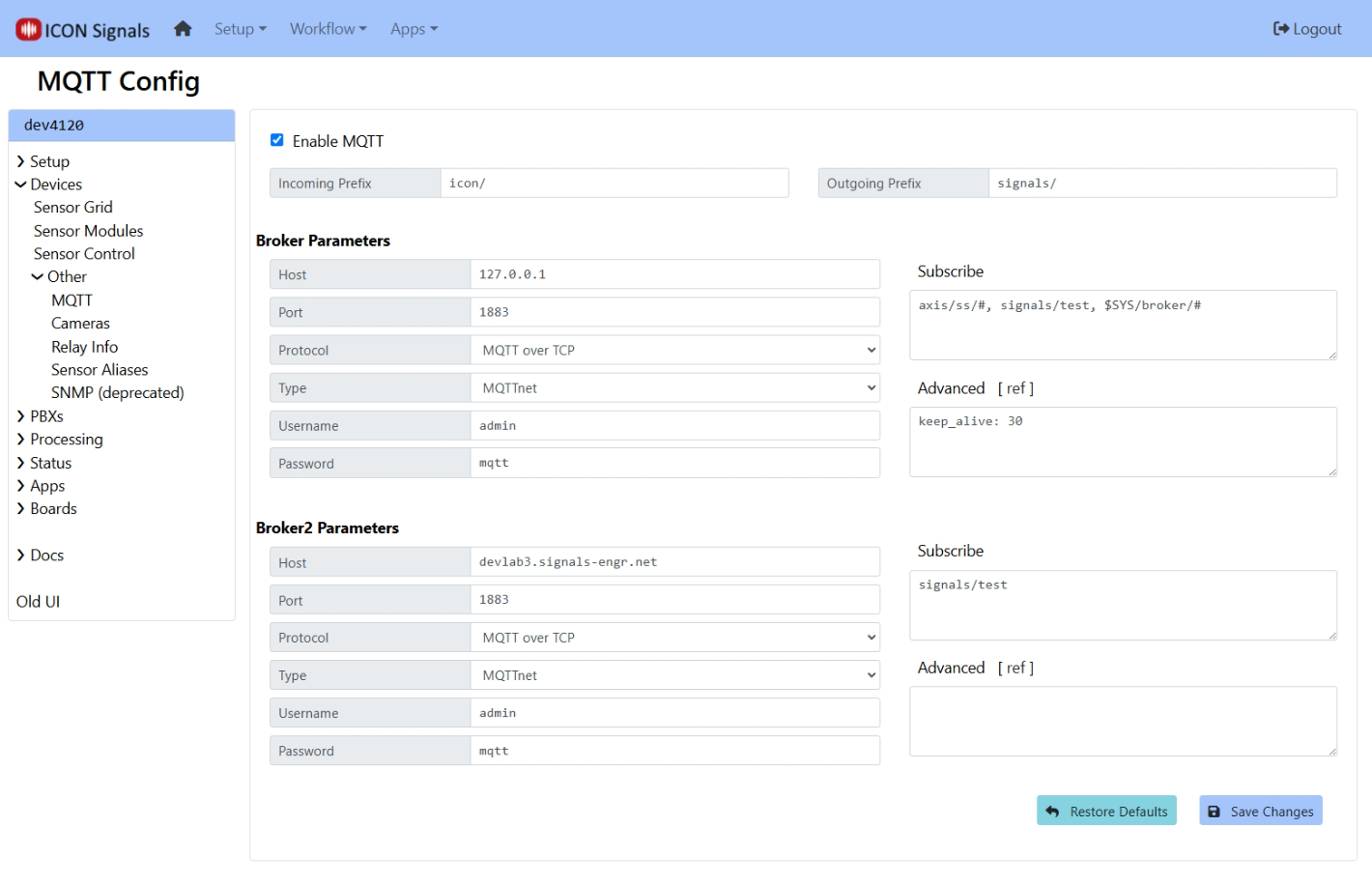
The Broker2 configuration is intended to support scenarios such as:
The customer has an existing MQTT broker (e.g. included with a Video management system) and wants some Signals interaction.
The customer wants some external control or interaction, for example by using an MQTT application on a mobile device.
With respect to topics, the expectation is that the Signals server will:
signals/icon/2018-2025 ICON Voice Networks